
Comments
Sometimes a cell needs a conversation as well as a translation. Comments let your team discuss specific cells in context.
Notification inbox
Section titled “Notification inbox”The notification bell in the header lists comment @mentions of you, newest first. Opening a notice jumps to that comment. An unread dot marks new mentions inline with the title.
- Each notice names where the comment is, such as “GEN 1:1 in Genesis.usfm”, then shows who commented and what they wrote. A mention on a whole file names just the file, and a mention on the project shows only the comment.
- Click a notice to open the cell thread and jump to that comment. Only the thread containing the linked comment opens, and that message gets a highlight ring.
- Marking a notice read leaves it in place.
- The header menu and a right-click let you mark read or unread, filter to unreads, and delete with undo. A deleted notice can be restored from the undo toast for a few seconds.
- Arrow keys navigate the list. No notice is highlighted until you press one.
- Closing the comments panel clears the deep link, so you can open the same notice again.
Commenting on a cell
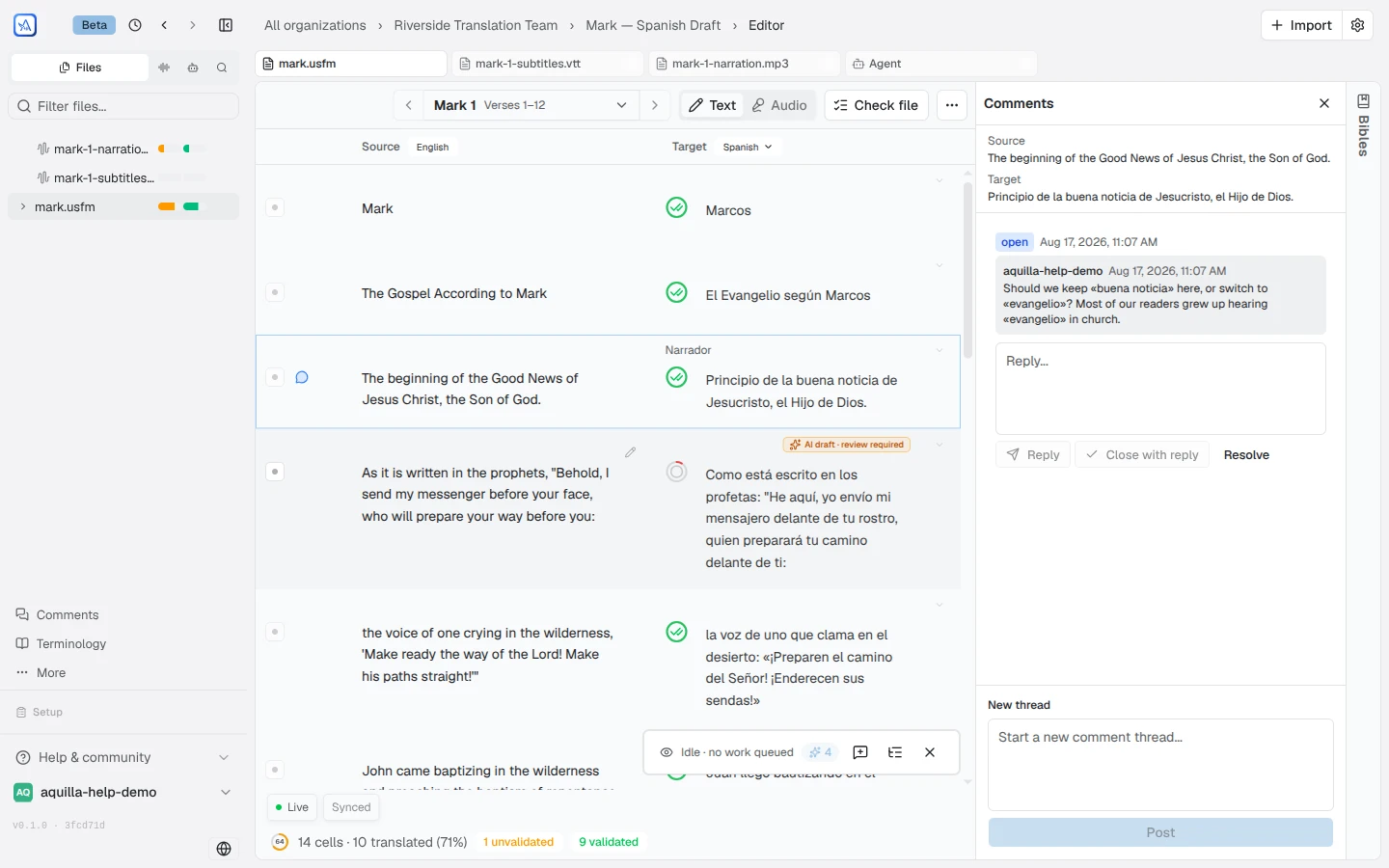
Section titled “Commenting on a cell”Open a cell and add a comment from its action rail. Comments are threaded, so replies stay grouped into a discussion, and they appear in a side rail next to the text. An unresolved-comment count surfaces as a badge so open discussions stay visible. When you filter the panel (by file, participant, or search), the badge updates to match what’s visible, including showing 0 on a filter with no matches; clear the filter to see the project’s total again.
Any cell with an open discussion also shows a comment icon in its gutter at all times, even without hovering, so you can scan a file for cells that still need talking through. Hover it to see how many open comments the cell carries (“2 open comments”), and click it to jump straight into that cell’s thread.
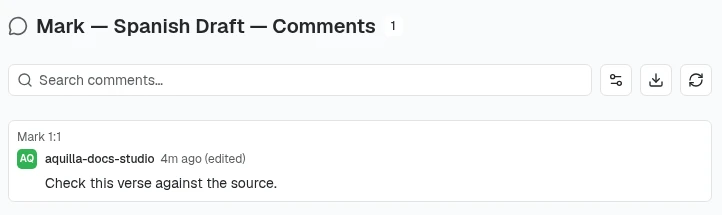
In the project-wide comments panel, each thread is labelled with the cell’s reference (such as Genesis 1:2), so you can tell at a glance where a discussion belongs.
Mentioning teammates
Section titled “Mentioning teammates”Type @ in a comment to mention someone on your team. A rounded list of project members appears as you type, showing their name and profile picture. Select someone to add them as a chip in your message. The mention creates a notification in their inbox.
If a cell’s comments fail to load, the panel says “Couldn’t load comments. Existing threads may be missing.” in a red box, with a Retry button, instead of “No comments yet.” Treat an empty list under that warning as unknown, not as no discussion, and click Retry.
Anyone with a commenter role (or higher) can take part: see Roles & permissions.
Editing and deleting your own messages
Section titled “Editing and deleting your own messages”Each message you write shows Edit and Delete in its menu. Editing opens the text for changes in place. Deleting removes the message permanently; there is no undo for a deleted message, only for a deleted notice in the notification inbox.
Resolving a thread
Section titled “Resolving a thread”Resolving or reopening your own thread only needs the ability to comment. Resolving or reopening a thread someone else started needs Contributor access or above by default: commenters and reviewers can resolve their own threads but not a teammate’s. If your role isn’t high enough, the Resolve or Reopen button stays visible but disabled, with a tooltip explaining why, rather than appearing to work and then reverting.
An organization owner can move both the commenting floor and this foreign-thread resolve floor up or down from Org Settings → Security, so your project’s actual floors may sit higher or lower than the defaults above.
Comments are for discussion, not sign-off
Section titled “Comments are for discussion, not sign-off”Comments and validation are different tools:
- a comment is a conversation about a cell;
- a validation is a reviewer confirming the cell is correct.
A cell can be validated with no comments at all, and a cell can carry an active discussion without being validated. Use comments to raise questions, suggest alternatives, or leave notes for a teammate, and use validation when you’re confident the cell is right.
Comment notifications
Section titled “Comment notifications”How often Aquilla emails you about comments is set in Preferences → Notifications. Choose Every mention and reply, Only when someone @-mentions me, or Never. Replies on a thread always arrive as a single email conversation, regardless of which option you choose.
Exporting and viewing comments across projects
Section titled “Exporting and viewing comments across projects”On the Comments page, the Export as CSV button (the download icon beside the filters) writes the visible list to a file you can open in a spreadsheet. The export follows the search, filters and sort you have set, so filtering to one file exports just that file’s threads. Each row is one message, with columns for project, file, reference, scope, thread, message, reply-to, author, created, updated, resolved, deleted and the comment text.
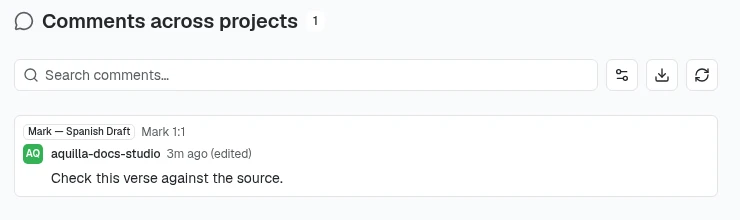
Maintainers and Owners also get Comments across projects in the organization sidebar. It lists every comment thread from the projects you can see in the organization, with an extra All projects filter and a date range (Started on or after, Started on or before), and the same Export as CSV button.
Help assistant
AI answers from the Aquilla docs — may make mistakes.