
Agent memory & the project brief
Beyond a single conversation, the AI agent can build up durable knowledge about a project, but like everything else it does, that knowledge only sticks after a person reviews it.
This page covers the agent’s own notes and the brief it works from. The context your team writes directly (instructions, quality rules, reference documents, validated examples) lives on the Living Memory page instead.
Memory: what the agent remembers
Section titled “Memory: what the agent remembers”Memory is a set of durable, agent-authored notes, each filed under a path
like glossary/…, style/…, or observations/…. Over time this is how the
agent learns your project’s conventions instead of re-guessing them every
run.
Memory lives in the workbench’s Project knowledge tab, split into three sub-tabs: Proposed, Approved, and Project brief. Proposals arrive both from a conversation with the chat agent, described below, and from Autopilot, which proposes a few whenever a run pauses; either way they land in the same Proposed queue and go through the same review.
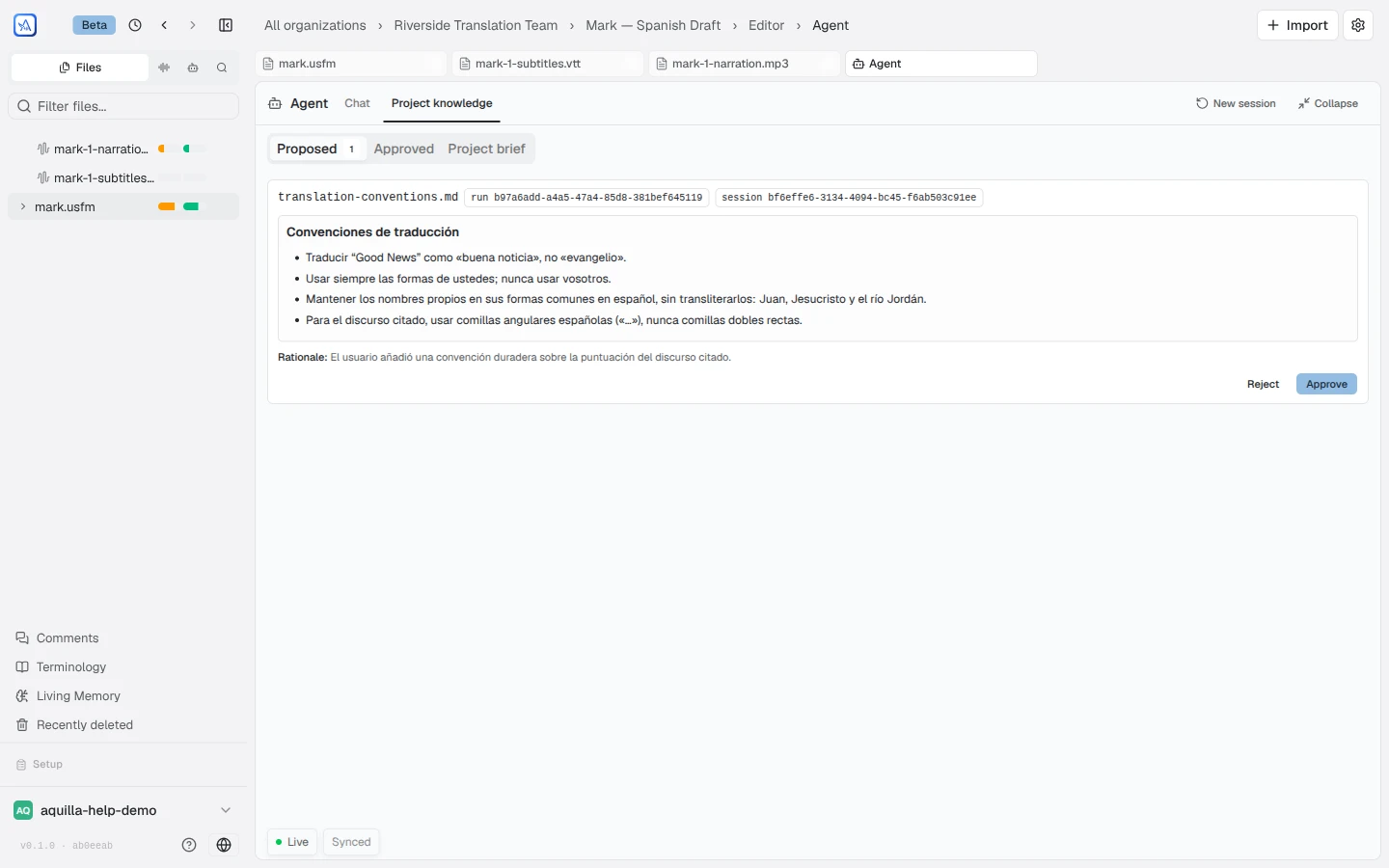
Reviewing proposed memory
Section titled “Reviewing proposed memory”Every new note starts as a proposal. Each card shows the note’s path, a preview of its content, a Rationale for why the agent wants to remember it, and where it came from. From there a reviewer can Approve or Reject it (rejecting asks for confirmation first).
Approving or rejecting a proposed memory requires Project lead or above.
Approved memory & human edits
Section titled “Approved memory & human edits”Once approved, a memory note is versioned (v1, v2, and so on) and can be opened with Edit. If a human edits a memory directly, it picks up a Human-edited shield: “Protected: the agent cannot modify this; it can only ask.” The agent can still propose a change to a protected note, but approving that proposal asks “Replace the human-edited memory?” first: the earlier human-written version is archived, not lost.
The project brief
Section titled “The project brief”The project brief is the highest-oversight tier: “the brief every agent run reads as ground truth.” Because everything the agent does is shaped by it, changes get the most scrutiny.
This is the brief as the agent holds it, reviewed and versioned in the workbench. The step-by-step brief builder, with its generated summary that rides on every draft, lives on Living Memory → Brief.
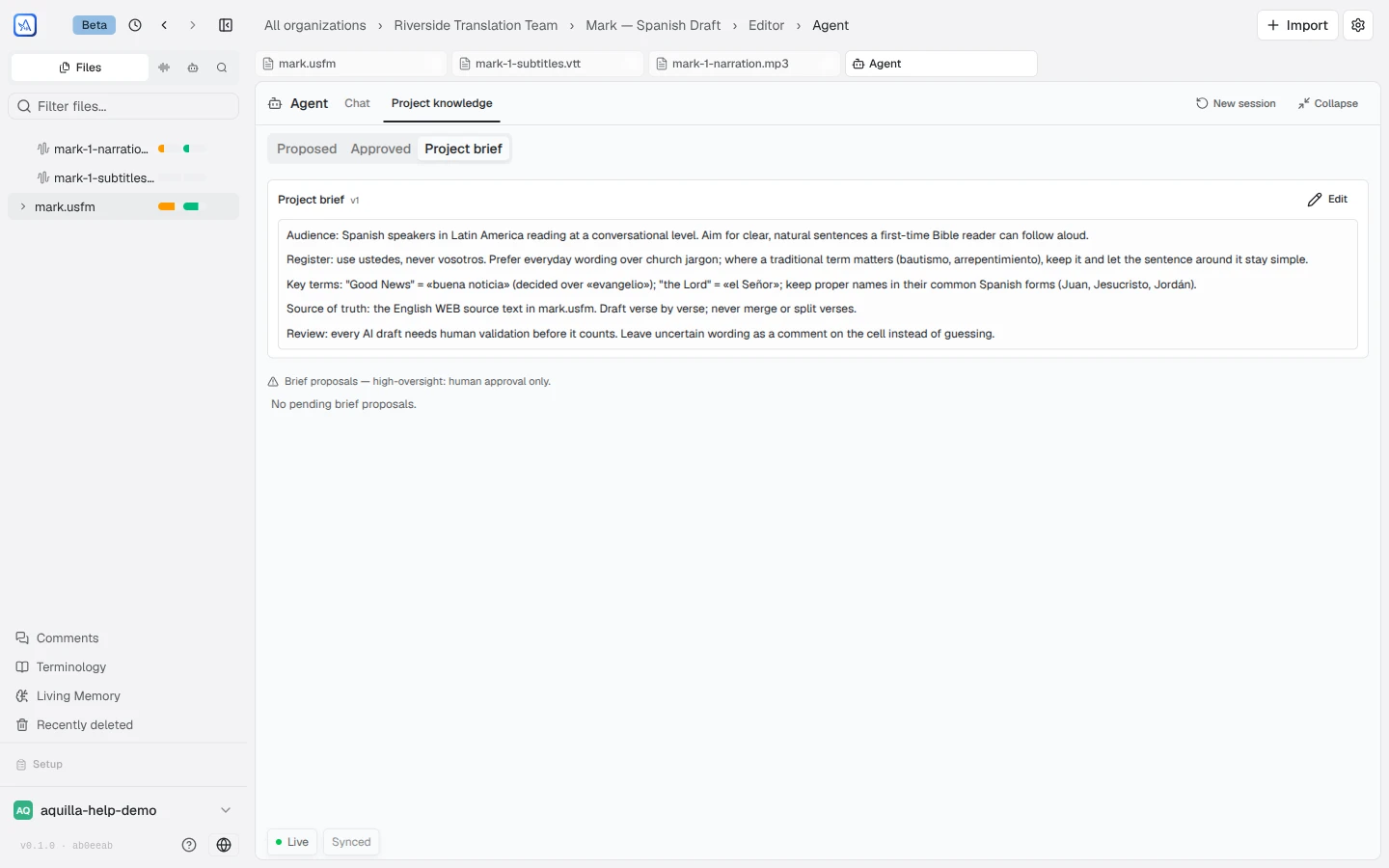
- Editing the brief directly is restricted to Project lead and above, and asks “Overwrite the project brief?” before saving. If someone else changed the brief while you were editing, you’ll be offered Reload latest brief rather than overwriting their change blind.
- The agent can also propose brief updates. A brief proposal is high-oversight (human approval only) and renders as a line-level diff (+ additions in green, − removals in red) alongside the agent’s Rationale.
- If the brief changes after a proposal was made, that proposal goes stale (“Stale — brief changed since this was proposed”) and can only be rejected: approving a diff against text that’s already moved on isn’t offered.
- A brief that a connected AI agent writes through the Agent API gets its summary rendered the moment it commits, so it shapes the AI copilot’s suggestions right away. A brief you edit yourself in Living Memory → Brief still needs you to click Regenerate summary after saving.
Chat notices
Section titled “Chat notices”When the agent proposes a memory note or a brief update mid-conversation, the
chat shows a short notice (“Proposed memory {path}…” or “Proposed brief
update…”) with a Review in Memory tab → link. Once you’ve acted on it,
the notice updates to Reviewed ✓.
Who can review
Section titled “Who can review”- Approving or rejecting proposed memory, and any brief edit, requires Project lead or above.
- Editing an already-approved memory note requires Project lead or above, or the Contributor who originally created it.
For how staged import changesets (a different kind of agent output) get approved, see Approving agent changes.
Help assistant
AI answers from the Aquilla docs — may make mistakes.